How Much Time Do Surveys Really Take? A Realistic Look
The minutes on a survey invitation only count the survey itself. Where the rest of your time goes: screen-outs, overruns, waiting and payout delays.
Verified by the editorial teamSurvey lengths, screen-out rules and payment timings checked against each panel's own help pages,
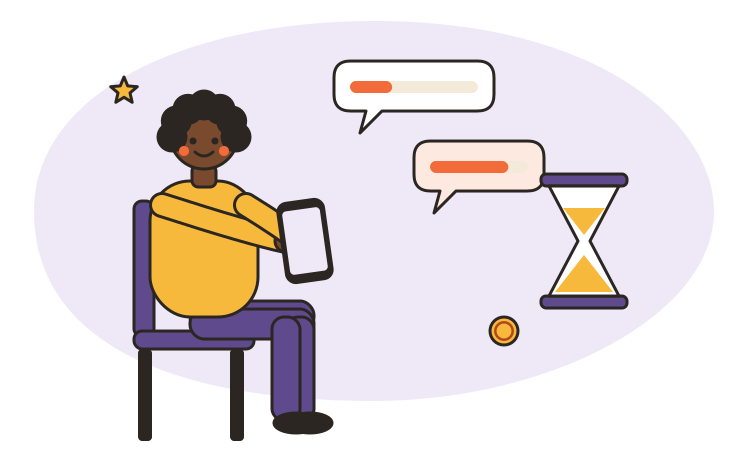
"10 minutes" on a survey invitation is a promise about the survey, not about your evening. It counts the questions if you qualify, answer at a normal pace and nothing goes wrong. It doesn't count the survey that threw you out after two minutes, the one that ran long, the minutes spent finding the next one, or the weeks before the reward becomes money. Here's where the rest of the time goes, and how to measure it for yourself.
The minutes on the label
Panels that publish a figure keep it modest. Branded Surveys says most of its surveys run between 5 and 20 minutes, that it shows an estimate before you begin, and that it tracks average completion times to keep the estimate honest. YouGov's invitations can show how long a survey might take along with the points. Joining takes a little time too: Pinecone Research, for example, asks for a couple of questions and then a short 5-minute survey to match you with studies.
Those estimates come from somewhere real. SurveyMonkey analyzed roughly 100,000 surveys and found that people spend about 5 minutes on a 10-question survey, with the first question taking longest while you get your bearings. It also saw more people abandon surveys that took longer than 7 or 8 minutes. Researchers know long surveys lose people, which is one reason paid surveys tend to be short.
When a survey runs over
An estimate is only an estimate. If a "20-minute" study takes you 40, your hourly rate halves, and there's nothing you can do about it halfway through.
Prolific is unusually open about this. It judges pay against the median time participants actually take, not the researcher's guess, and it asks researchers to raise the reward when the real rate falls below its minimum. It also sets a maximum time for every study. Go past it and your submission shows as timed out, which researchers typically don't pay, even if you'd finished. That's worth knowing before you start a study and then put the kettle on.
Screen-outs: the time that pays least
Every study wants a particular group: people who bought a car this year, parents of toddlers, nurses, cat owners. Researchers call the share of people who qualify the incidence rate, and it can be tiny. Kantar's own examples range from 100% for a general population study down to 1% to 5% for very specific groups.
The panel doesn't know in advance which group you're in, so the survey finds out by asking. If you don't fit, it ends. Sometimes the group fills up while you're answering, which one panel's help center calls "sample filled". Swagbucks admits it can happen when you're practically finished.
What you get for that time varies:
- Branded Surveys says it tries to give 1 to 3 points, within the first 1 to 3 minutes.
- Prolific requires researchers to pay a small fixed screen-out reward.
- InboxDollars says plainly that attempting a survey won't earn partial credit.
A complete profile helps, because it lets the panel skip surveys you'd never qualify for. It won't make screen-outs disappear.
The time between surveys
The part people forget is the gap: opening the app, scrolling the list, trying one, trying another. Nobody pays for it, and it adds up.
The most careful measurement we found comes from a 2017 study of workers on Amazon Mechanical Turk, a microtask platform rather than a survey panel, which is closing on September 30, 2026. Researchers recorded 2,676 workers doing 3.8 million tasks. The median time between tasks was 12.1 minutes per worker, and, by the study's own figures, tasks that people started and then returned unfinished took up about a third of all the working time recorded. Those minutes are why the median hourly pay came out far below what the tasks themselves paid.
What the hour is worth once time is counted
Two published figures that show the gap between the rate a task pays and the rate a person earns.
- Prolific studies: the platform's minimum to recommended rate, measured on real completion times
- $8–$12 per hour of study time
- Median pay of 2,676 workers on Amazon Mechanical Turk (2017 study): with all unpaid time counted, and without it
- $1.77–$3.18 per hour
Neither figure includes the time you spend waiting for invitations. The second is from an older microtask platform, not a survey panel, but it's the best independent measurement of unpaid time we found.
Verified by the editorial teamProlific's participant help pages; Hara et al., CHI 2018,
Rushing doesn't win the time back
It's tempting to speed through the boring grids. Panels expect that. Swagbucks withholds rewards if you complete a survey well under the average length, and answering too quickly or failing a trick question can disqualify you and flag your account. Survey software flags speeders automatically: Qualtrics, for example, marks responses that are more than two standard deviations from the median duration. A few seconds saved can cost the whole reward, and repeated flags can cost the account.
Then you wait to be paid
Finishing a survey isn't the same as being paid for it. There are usually two waits: one before the reward reaches your balance, one after you ask to cash out.
For the first, Swagbucks says credit usually arrives within minutes, but can take several days to a couple of weeks. InboxDollars says some surveys take up to 3 weeks to credit. On Prolific, researchers have up to 22 days to review a submission before it's approved automatically.
For the second, Swagbucks allows up to 10 business days for a reward to arrive, while Branded Surveys approves most payouts in 1 to 2 business days. None of this is a sign of a scam. It's a sign that you shouldn't count survey money until it's in your account.
Work out your own number
Nobody can tell you your real hourly rate, because it depends on your profile and your patience. You can measure it in a week.
Measure your own rate in one week
-
Log every session, not every survey
Write down when you open the app and when you close it. That includes screen-outs, the profile questions and the minutes spent finding the next survey.
-
Count what actually credited
At the end of the week, add up the rewards that reached your balance, not the ones that are still pending or that you were promised.
-
Divide, then compare
Rewards divided by hours is your real rate. Compare it with what you'd accept for any other small job, and decide from there.
-
Cut what wastes the most time
If one panel screens you out again and again, drop it. Keep the one where you finish the most of what you start.
In our view, the number you get is the only one that matters. If it's lower than you'd accept for any other small job, surveys aren't a side income for you; they're a hobby that pays a little. That's fine, as long as you choose it knowing the rate.
You asked
How long is a typical paid survey?
Panels that publish a figure put most surveys between 5 and 20 minutes, and they show an estimate before you start. Treat it as the time inside the survey if everything goes well, not as the time you'll spend.
Why did a survey end after two minutes?
Almost always a screen-out: the study needs a particular group of people, and your first answers showed you're not in it, or the group was already full. Some panels pay a small amount for this, others nothing.
If I answer faster, will I earn more?
No. Panels compare your time with the average for each survey and flag answers that come in much faster. On Swagbucks, for example, speeding can disqualify you and flag your account.
What happens if I take a break in the middle of a survey?
It depends on the panel, but many surveys have a time limit. On Prolific, a submission that goes past the maximum time shows as timed out, and researchers typically don't pay for those, even if you'd finished.
Read next
Paid Surveys: How They Work and What You Can Realistically Earn
Survey sites pay in points and small amounts, not wages. Where the money comes from, published rates, cash-out rules and why screen-outs matter so much.
Cashback Apps Explained: Are They Worth It?
Cashback apps pass on part of what stores pay them for sending you. How Rakuten, Ibotta, Fetch and TopCashback pay out, the fees and delays, and when it's worth it.
Reward Programs and Gift Cards: A Beginner's Guide
Points, stars and gift cards made simple: what loyalty points are really worth, the expiry rules that quietly wipe them out, and the gift card law that protects you.